

Key Takeaway: The best video conferencing tools for online tutoring in 2026 are Zoom for general reliability, LearnCube for its education-specific features, and Google Meet for centers using Google Workspace. However, the tool itself is only part of the solution; integrating it with tutoring management software like Tutorbase is what eliminates administrative chaos by automating scheduling, billing, and payroll.
Selecting the best video conferencing tools for online tutoring goes far beyond just a stable video feed. The right platform transforms a lesson into an interactive experience, while the wrong one creates friction for tutors, students, and parents. Tutoring centers often waste hours managing meeting links, tracking attendance, and wrestling with generic software not designed for teaching. This operational drag directly impacts profitability.
This guide solves that problem. We will dissect the top 12 video conferencing and virtual classroom platforms, analyzing them for real-world scenarios. We provide a detailed breakdown of each tool's strengths for 1:1 sessions, small groups, and large test prep workshops. You'll get insights into critical features like whiteboards, breakout rooms, and recording capabilities. When choosing a virtual classroom, it's essential to consider complementary tools like smart interactive whiteboards that enhance engagement.
Our goal is to provide a clear path for building an efficient online teaching workflow. Each review includes screenshots and links. We also explain how integrating your chosen tool into a streamlined management system, like Tutorbase, reduces admin time by 60% and eliminates booking errors, keeping your focus on delivering exceptional student outcomes.
1. Zoom
Zoom is the category leader for live online tutoring, offering robust stability that scales from individual tutors to multi-branch centers. Its wide adoption means most students are already familiar with the interface, reducing technical friction. This ubiquity makes it an excellent default choice for tutoring businesses seeking reliability.

The platform excels in providing tools essential for an interactive learning environment. Features like breakout rooms, waiting rooms for security, and a built-in whiteboard are staples for effective instruction. While Zoom's native whiteboard is functional, many tutoring centers integrate it with more powerful tools. You can find more details in our guide to choosing a digital online whiteboard for tutoring.
For tutoring centers using management software like Tutorbase, Zoom’s integration capabilities are a major asset. Session links are automatically generated and embedded into student schedules, which simplifies the workflow for both administrators and teachers.
Key Features & Use Cases
- Breakout Rooms: Essential for group classes, allowing tutors to split students into smaller pairs or groups for collaborative work.
- Recording & Transcription: Paid plans offer cloud recording and AI-powered transcriptions, perfect for creating a library of lesson replays for student review.
- Administrative Controls: Robust host controls allow you to manage participants, mute audio, and control screen sharing, maintaining order in larger classes.
- Pricing: The free tier is limited to 40-minute meetings. Paid plans start at around $15.99/host/month, with education discounts available. Large Meeting add-ons can increase costs significantly.
Website: https://zoom.us
2. Google Meet (via Google Workspace)
Google Meet is an excellent choice for tutoring centers deeply integrated into the Google ecosystem. It offers a low-friction, browser-based solution that eliminates software installation for most users. Its value is amplified when used as part of a Google Workspace subscription, bundling video conferencing with professional email, cloud storage, and productivity apps. This makes it a cost-effective, all-in-one package.
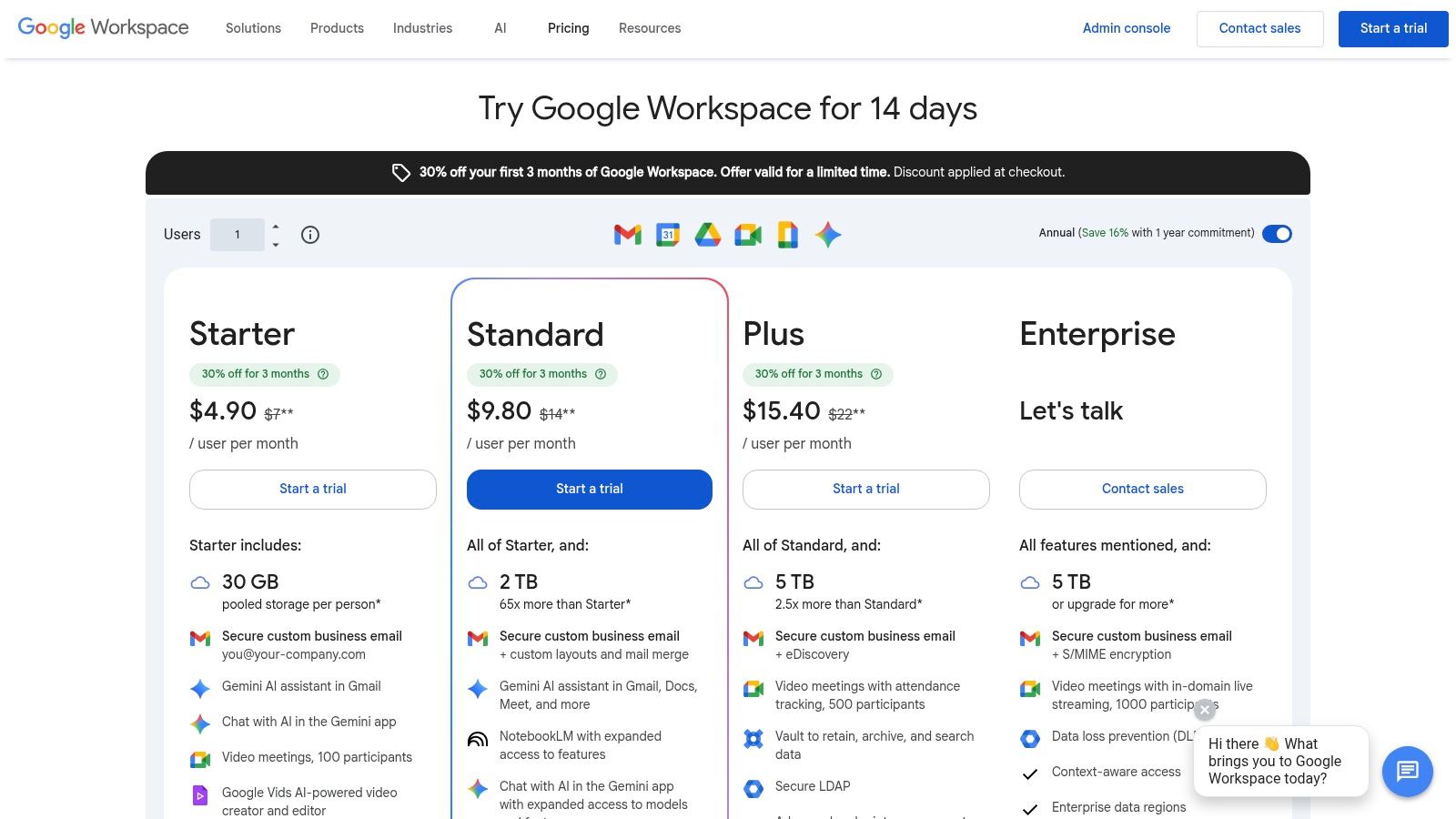
The platform's biggest strength is its seamless integration with Google Calendar. Scheduling a tutoring session automatically generates a Meet link, simplifying the booking process. This works especially well with management platforms like Tutorbase, which can push schedules directly to a tutor's Google Calendar. This automation is a key benefit, and you can explore more ways to streamline bookings with our guide to tutor scheduling software.
For interactive learning, Google Meet's connection to apps like Jamboard (Google’s digital whiteboard) and the ability to co-edit Docs provide a collaborative environment. While some advanced controls are less robust than competitors, its simplicity and bundled value make it one of the best video conferencing tools for online tutoring, especially for centers prioritizing ease of use.
Key Features & Use Cases
- Google Workspace Integration: Tightly links video meetings with Calendar for scheduling, Drive for recordings, and Docs/Slides for live collaboration.
- Browser-Based Access: Students can join sessions with a single click, with no mandatory app download, which is ideal for those using Chromebooks.
- Recording to Google Drive: Paid Workspace plans allow tutors to record lessons directly to their Drive, making it easy to share replays.
- Breakout Rooms & Polling: Available on Business Standard and higher tiers, these features allow for effective small-group activities during larger classes.
- Pricing: While a basic version is free, professional features require a Google Workspace subscription, starting at around $6/user/month for the Business Starter plan.
Website: https://workspace.google.com/pricing
3. Microsoft Teams
For tutoring centers operating within the Microsoft 365 ecosystem, Microsoft Teams presents an integrated solution. It combines video conferencing with persistent chat, file sharing, and collaboration tools. Its strength lies in creating dedicated "channels" for each class or subject, providing a central hub for all lesson-related communication and materials.
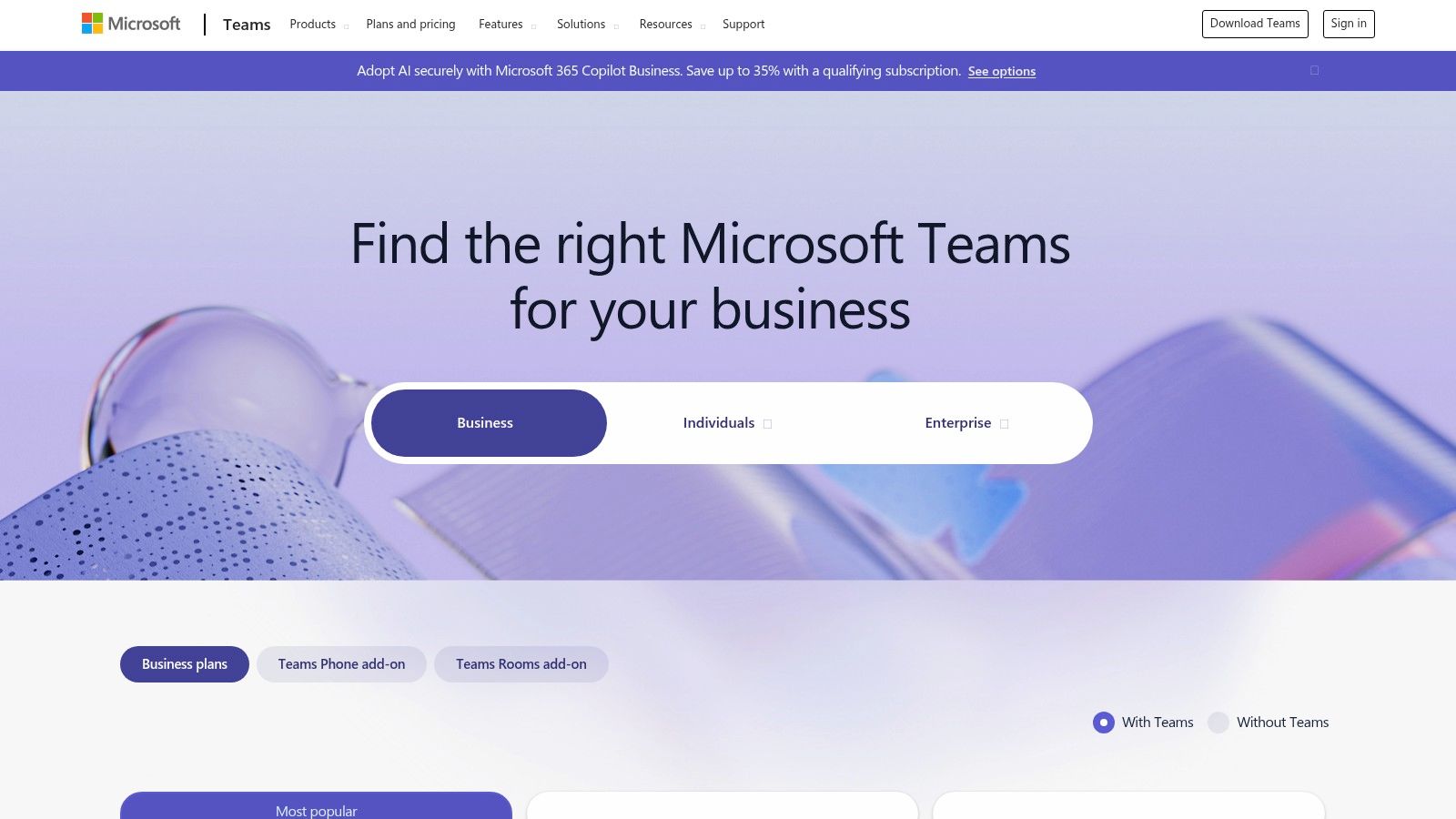
This structure is beneficial for multi-location tutoring centers that need consistent organization. While its feature set is robust, the platform comes with a steeper learning curve compared to simpler tools. The administrative setup is heavier, and parents unfamiliar with the Microsoft environment may require more support. For businesses standardizing on Microsoft, the seamless workflow is a significant advantage.
Key Features & Use Cases
- Dedicated Channels: Organize each class into its own channel, keeping conversations, files, and assignments neatly separated and accessible.
- Built-in Whiteboard & Recording: Includes a functional digital whiteboard and native recording capabilities, with videos saved to Microsoft Stream for easy access.
- Attendance & Policy Controls: Offers comprehensive administrative controls, including attendance reports, which are crucial for larger tutoring organizations.
- Pricing: A free version is available. For full administrative control, Teams is bundled with Microsoft 365 Business plans, starting at around $4.00/user/month.
Website: https://www.microsoft.com/en-us/microsoft-365/microsoft-teams/compare-microsoft-teams-options
4. Cisco Webex
Cisco Webex is an enterprise video platform known for its exceptional audio quality and robust security. For tutoring centers that prioritize reliability and data protection, Webex presents a compelling alternative. Its enterprise-grade infrastructure ensures stable connections, making it a solid choice for businesses needing higher compliance and dependable performance for their online tutoring services.
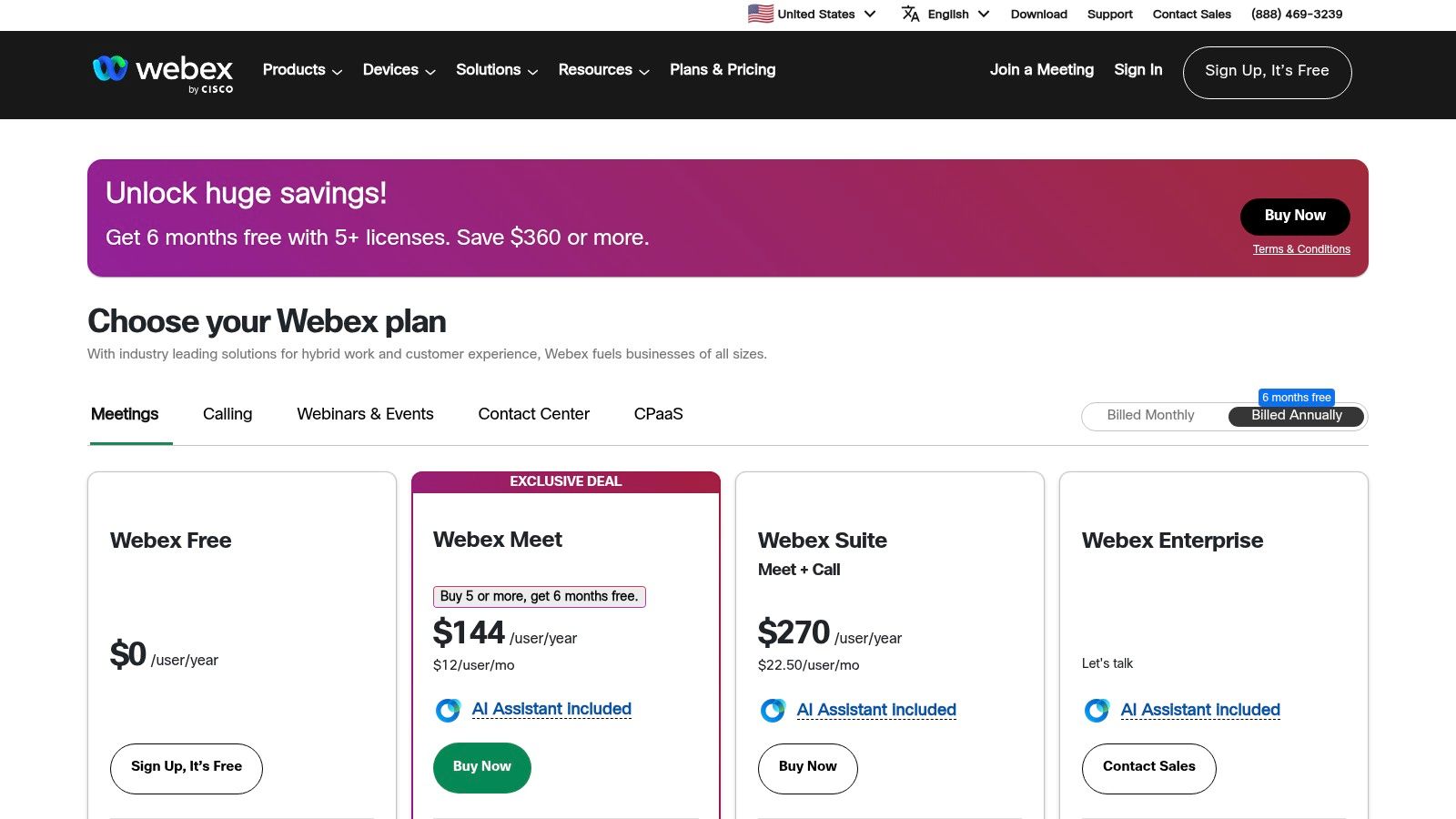
The platform is packed with features beneficial for an educational setting, including advanced noise removal to keep lessons distraction-free and a built-in AI assistant. This assistant can generate meeting summaries, a useful tool for tracking student progress or sharing lesson highlights with parents. While its interface may be less familiar to some students than Zoom, its powerful backend makes it an excellent fit for established organizations.
Key Features & Use Cases
- Noise Removal & Voice Enhancement: Industry-leading technology filters out background noise, ensuring the tutor's instruction is always clear.
- AI Meeting Summaries: The Webex Assistant can automatically generate lesson summaries and transcriptions, saving tutors administrative time.
- High Reliability & Security: With enterprise-grade uptime and advanced security options, it's ideal for centers that handle sensitive student data.
- Pricing: A basic free plan is available. Paid plans offer more features and start with the "Meet" plan at approximately $14.50/license/month, with more comprehensive "Suite" options available.
Website: https://www.webex.com/
5. LearnCube
LearnCube is a virtual classroom purpose-built for tutoring and language schools. It focuses on creating a seamless teaching experience rather than adapting corporate meeting tools for education. This specialization makes it one of the best video conferencing tools for online tutoring for those who want an all-in-one, education-first solution.
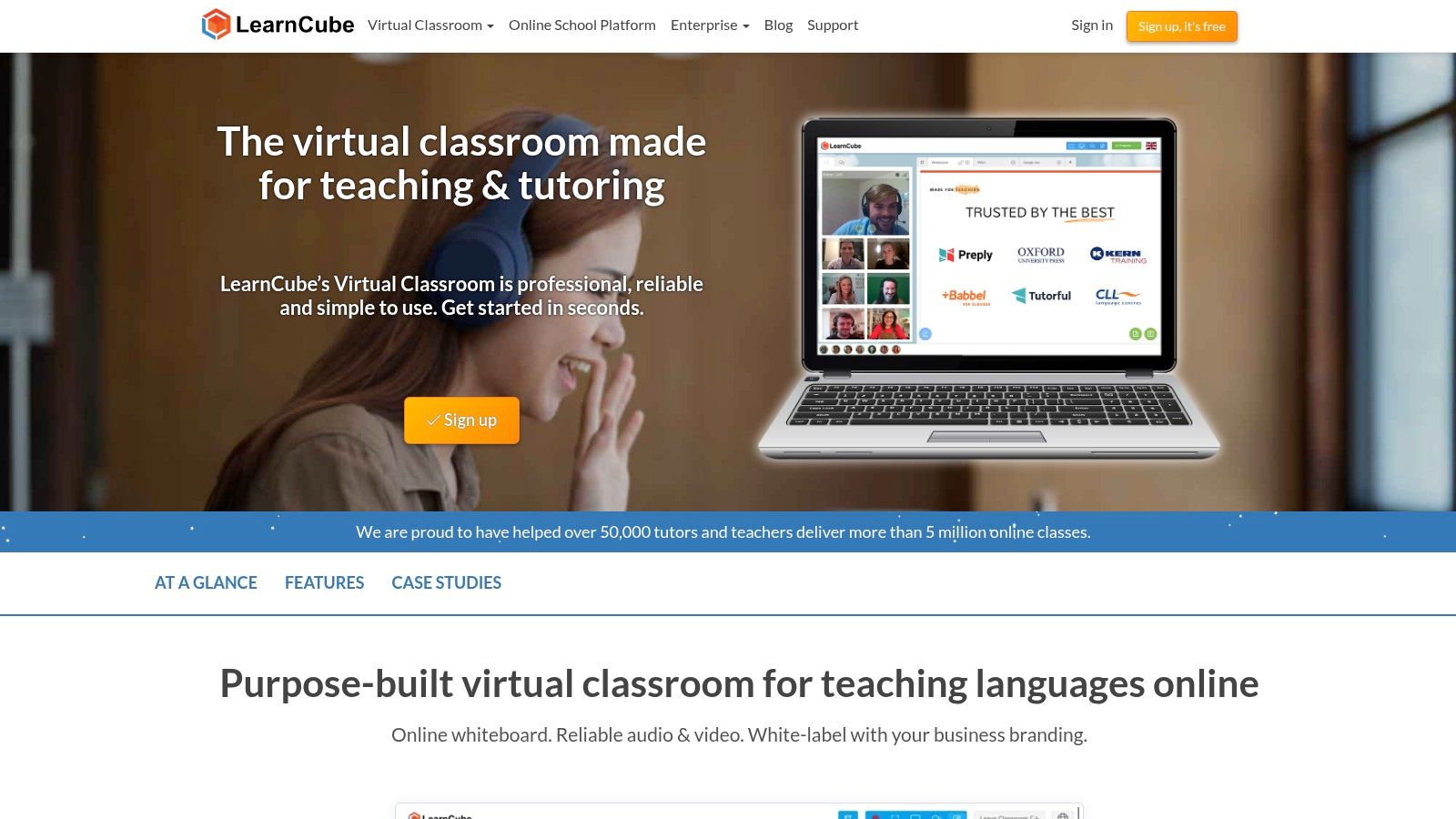
The platform’s strength lies in its integrated, subject-aware whiteboard and content library, which allows tutors to prepare and reload lesson materials effortlessly. Because it's browser-based, students face zero friction as no installations are required. For growing tutoring centers, LearnCube offers white-label branding and analytics, providing a professional student experience. You can explore how LearnCube fits into a larger operational stack in our guide to the best LMS software for tutoring centers.
Key Features & Use Cases
- Education-Focused Whiteboard: Includes features like a content library for saving materials and tools specific to subjects like math and language.
- Browser-Based Classroom: Eliminates the need for students or tutors to download any software, simplifying access and reducing technical support issues.
- Class Reload & Recordings: Tutors can save the entire classroom state to pick up exactly where they left off in the next session. Recordings are also available.
- Pricing: A free Basic plan is available for solo tutors. Paid plans like the Pro plan start at around $14.95/month, with custom pricing for Virtual School tiers that include branding.
Website: https://www.learncube.com
6. VEDAMO Virtual Classroom
VEDAMO is designed specifically for online education, positioning itself as a comprehensive virtual classroom. This focus makes it a strong contender for tutors who want an all-in-one environment built for teaching. Its interface is clean and intuitive, providing a smooth onboarding experience for both educators and students.
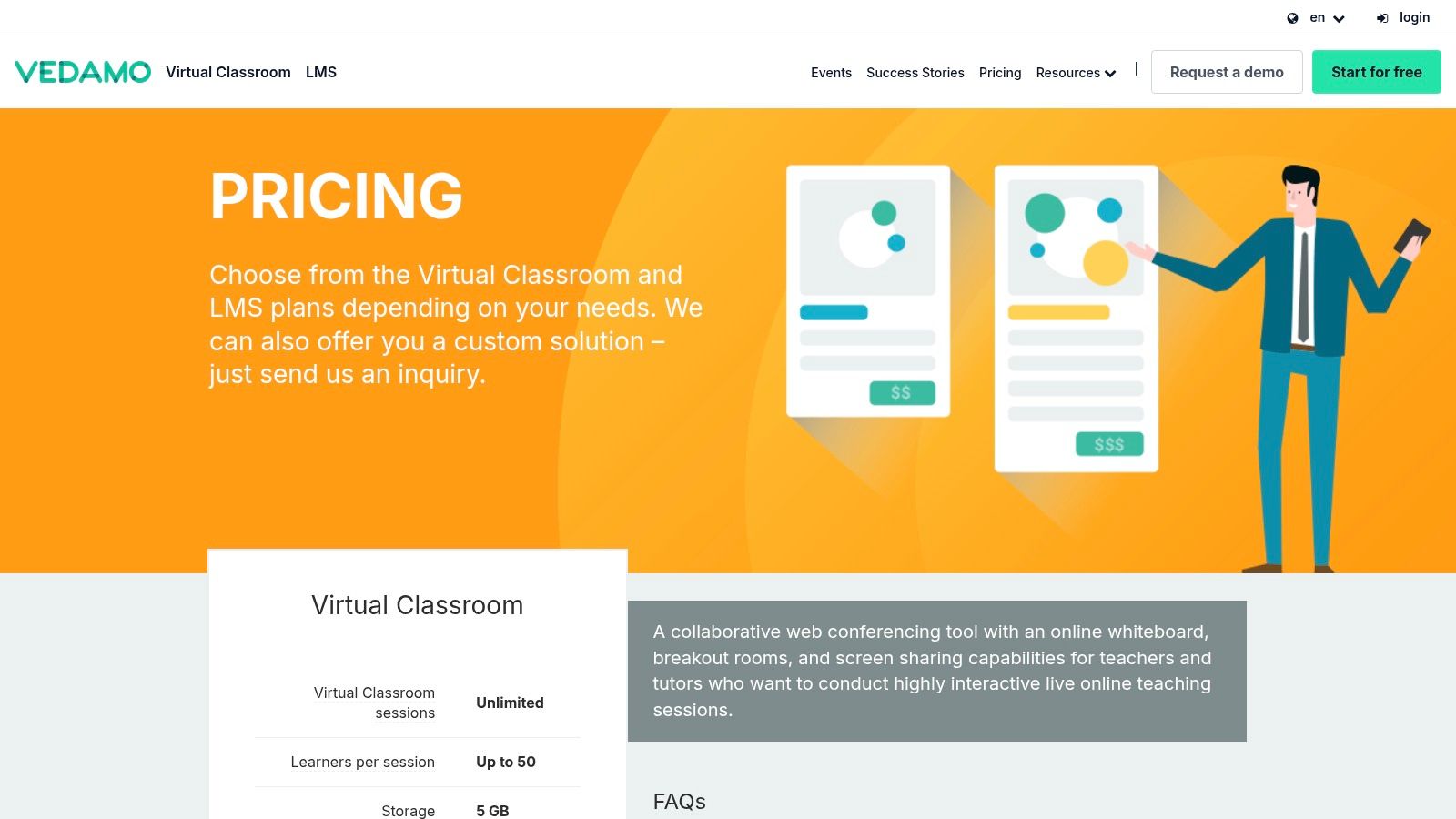
The platform’s strength lies in its purpose-built educational features, such as a powerful interactive whiteboard and easy-to-manage breakout rooms. For tutoring businesses, VEDAMO’s model of adding concurrent classroom licenses offers a flexible way to scale. Instead of paying per host, you pay for the number of simultaneous sessions, which can be more cost-effective for centers with many part-time tutors.
Where VEDAMO stands out is its optional Learning Management System (LMS). This add-on transforms the platform from a simple video tool into a more robust management solution, with scheduling and multi-class management capabilities. This makes it one of the best video conferencing tools for centers looking for an integrated classroom and administrative system.
Key Features & Use Cases
- Interactive Whiteboard: A core feature with tools for drawing, text, shapes, and multimedia uploads, designed for collaborative learning.
- Breakout Rooms: Easily split larger classes of up to 50 learners into smaller groups for focused discussion and project-based work.
- Interactive Recordings: Sessions are archived and can be replayed interactively, allowing students to review lessons as if they were live.
- Optional LMS: For larger operations, the LMS provides scheduling, course creation, and role management, creating a more cohesive educational ecosystem.
- Pricing: The Virtual Classroom plan starts at around $25/month for one room. The LMS plan is priced higher, starting at approximately $43/month, and scales with the number of users.
Website: https://www.vedamo.com/prices/
7. Lessonspace
Lessonspace is a tutoring-first virtual classroom designed to eliminate juggling multiple applications. It is optimized for STEM and coding instruction, offering a suite of integrated tools that directly support workflows for subjects like math and computer science. This focus makes it one of the best video conferencing tools for online tutoring in specialized fields.

The platform’s strength is its all-in-one environment. Instead of screen-sharing separate apps for a whiteboard, code editor, and documents, Lessonspace builds these directly into the session interface. This unified approach reduces technical friction and keeps students focused. The searchable in-class resource library further streamlines sessions by allowing tutors to pull up relevant materials instantly.
For growing tutoring centers, Lessonspace provides a flexible growth path. Its API allows for deep integration with management software like Tutorbase, enabling automated session creation and a seamless operational workflow. This makes it a scalable solution that can adapt from a single tutor to a large organization.
Key Features & Use Cases
- Integrated STEM Tools: The platform includes a collaborative whiteboard with a built-in equation editor (LaTeX compatible) and a dedicated code editor.
- Searchable Resource Library: Tutors can upload and organize documents and other materials directly within the platform, making them instantly accessible.
- Brandable & Embeddable: Spaces can be branded with your tutoring center’s logo and colors. The API allows for embedding the classroom into your own website.
- Pricing: Pricing is primarily usage-based and designed for organizations. This model is best suited for businesses that can leverage its organizational plans.
Website: https://www.thelessonspace.com/features
8. Whereby
Whereby stands out for its sheer simplicity, offering browser-based video rooms that require zero software installation. This makes it one of the best video conferencing tools for online tutoring businesses focused on a frictionless join experience. Tutors get a personal, permanent room link, creating a professional and easily accessible virtual classroom ideal for 1:1 sessions.

The platform is built around ease of use. The clean interface and straightforward controls mean less time on technical troubleshooting and more time on teaching. For tutoring centers wanting to maintain brand consistency, paid plans allow for custom branding, reinforcing your center's identity every time a student joins a session.
While it lacks the advanced administrative controls of enterprise-focused platforms, its API allows for deeper integration. For instance, a tutoring center using management software like Tutorbase could use the API to programmatically create and embed unique room links directly into scheduled lessons.
Key Features & Use Cases
- Permanent Room Links: Assign each tutor a fixed, easy-to-remember link (e.g.,
yourcenter.whereby.com/tutor-jane) for all their sessions. - No-Download Entry: Students click a link and join instantly from their browser, eliminating installation hurdles and technical support calls.
- Custom Branding: Paid plans allow you to add your logo and brand colors to the meeting room, creating a seamless and professional student experience.
- Pricing: A limited free plan is available. Paid plans are affordable, with the Pro plan starting at $6.99/host/month for up to 100 participants.
Website: https://whereby.com/information/meetings/pricing
9. GoTo Training (and GoTo Meeting)
GoTo Training is a specialized platform designed for structured online instruction. It is a strong contender for tutoring centers that run multi-week courses or test prep programs. Unlike general meeting tools, it comes with built-in features for course management, such as content libraries, in-session tests, and polls. This makes it one of the best video conferencing tools for programs requiring measurable student assessment.

The platform consolidates activities that would otherwise require multiple third-party tools. For instance, a test prep center can distribute practice materials, administer a timed quiz, and collaborate in breakout rooms all within a single session. While its sister product, GoTo Meeting, handles general video calls, GoTo Training is purpose-built for the interactive nature of professional tutoring.
Key Features & Use Cases
- Built-in Tests & Evaluations: Create and administer quizzes and polls directly within a live session to gauge student comprehension.
- Content Library: Upload and organize course materials that students can access before, during, or after a session, ensuring consistent delivery.
- Recording & Reporting: Record sessions for student review and generate detailed reports on attendance, test results, and engagement.
- Pricing: Plans are typically subscription-based and can be higher than standard video conferencing tools, often requiring contact with sales for exact quotes.
Website: https://www.goto.com/pricing/training
10. ClickMeeting
ClickMeeting is a webinar-first platform, making it a powerful choice for tutoring businesses focused on marketing and delivering paid workshops. Its strength lies in features designed for large-scale, monetized events rather than daily one-to-one instruction. This makes it an excellent tool for open houses, parent information sessions, or group-based test prep courses.
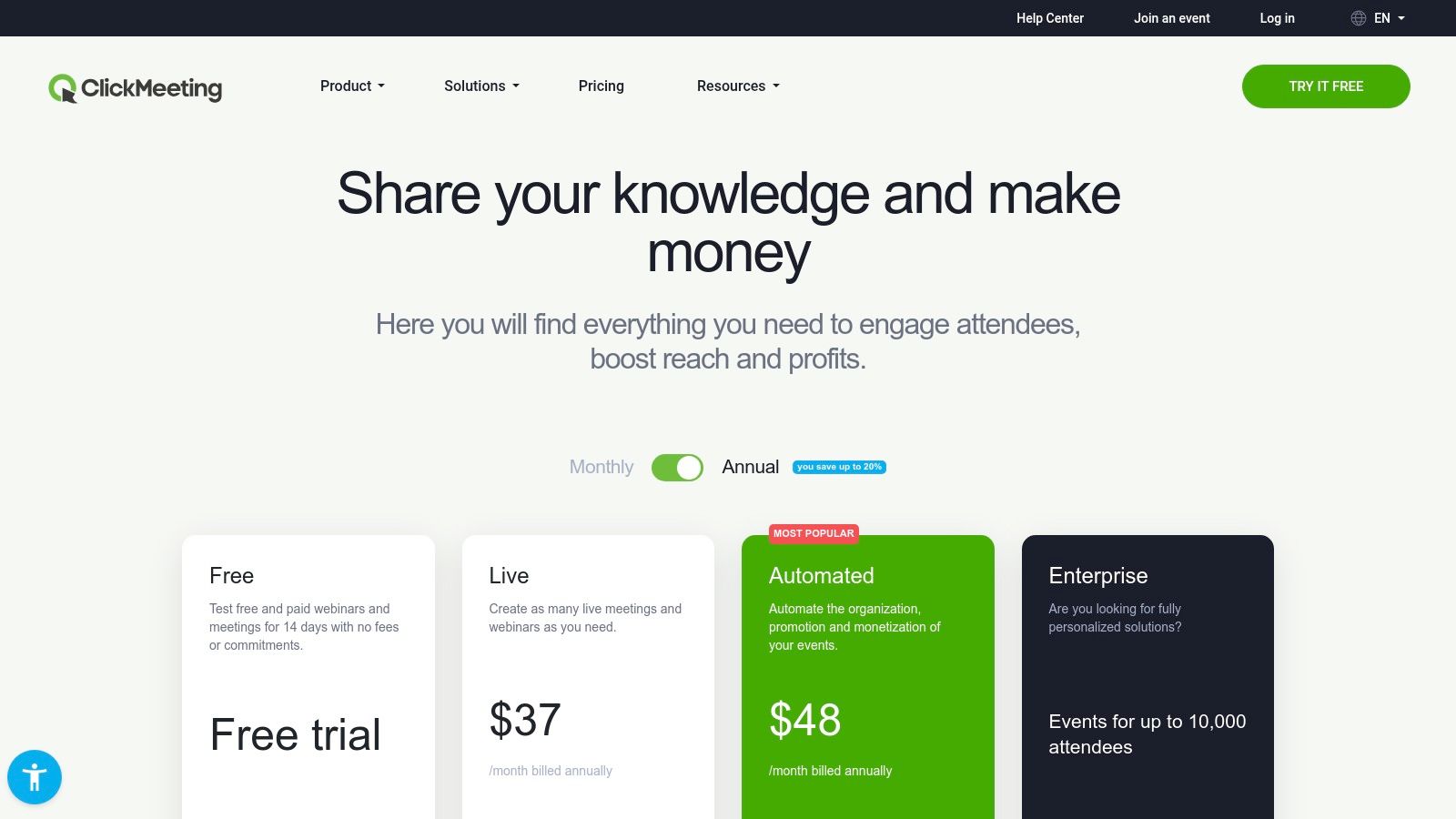
The platform's standout feature is its built-in monetization and automation engine. You can create paid events, sell tickets directly, and automate follow-up sequences with recordings. This is ideal for tutoring centers that use webinars to attract new students. For day-to-day tutoring, however, the webinar-centric interface may feel less intuitive than tools built for interactive teaching.
While it includes standard features like a whiteboard and breakout rooms, its core design is geared towards presentation. For tutoring centers using software like Tutorbase, ClickMeeting can serve as a top-of-funnel tool, driving sign-ups that are then managed within the core scheduling and billing system.
Key Features & Use Cases
- Paid Webinars & Monetization: Create ticketed events to sell access to premium workshops or specialized training sessions directly through the platform.
- Automation Suite: Automate event reminders, thank-you emails, and the distribution of follow-up materials, reducing administrative work.
- Large-Scale Events: The platform is built to handle large audiences, with plans supporting up to 1,000 attendees and enterprise options for more.
- Branding & Customization: Customize waiting rooms, registration pages, and webinar rooms with your tutoring center’s logo and brand colors.
- Pricing: Pricing is based on the number of attendees, starting from around $30/month for up to 25 attendees. Costs increase significantly with the attendee cap.
Website: https://clickmeeting.com/pricing
11. BigBlueButton (open-source virtual classroom)
BigBlueButton is an open-source virtual classroom designed specifically for online teaching. It is not a plug-and-play service like Zoom but a powerful, self-hosted or managed-hosted solution. This makes it ideal for tutoring centers that prioritize data control, deep learning management system (LMS) integration, and cost-effective scaling without per-user license fees.
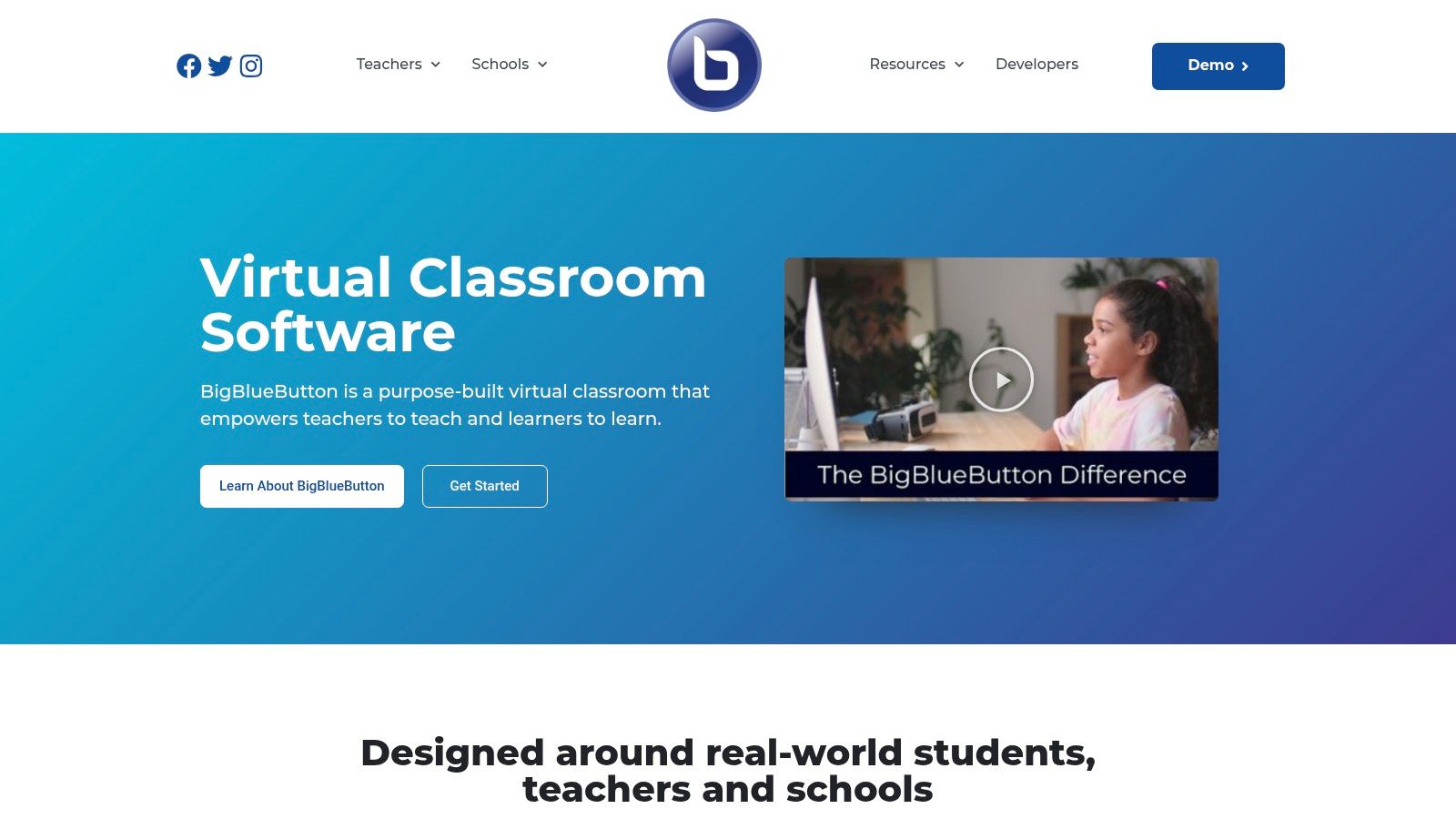
The platform’s feature set is entirely education-focused. It includes a multi-user whiteboard, shared notes, polling, and robust breakout rooms. For tutoring businesses using an LMS like Moodle, BigBlueButton offers seamless integration. While self-hosting requires technical expertise, numerous third-party providers offer managed hosting, simplifying setup and maintenance.
For centers using management software like Tutorbase, a managed BigBlueButton instance can be integrated via API. This allows session links to be generated and managed within the scheduling workflow. This approach combines the customizability of an open-source classroom with the operational efficiency of a centralized management system.
Key Features & Use Cases
- Teacher-Centric Tools: Includes a multi-user whiteboard, polling, shared notes, and an emoji-based feedback system to gauge student understanding.
- LMS Integration: Offers deep, out-of-the-box integrations with popular systems like Moodle, Canvas, and others, creating a unified student experience.
- Capacity-Based Pricing: Managed hosting providers often charge based on concurrent users rather than per host, which can be highly cost-effective for large centers.
- Open-Source Control: Being open-source allows for complete control over data privacy, a key consideration for institutions with strict compliance needs.
Website: https://bigbluebutton.org
12. ClassIn
ClassIn positions itself as a complete virtual classroom environment. It is purpose-built for education, particularly popular with language schools and formal K-12 institutions. Instead of adapting a business meeting tool, ClassIn starts with classroom-first controls, offering a suite of integrated tools designed to replicate the physical learning experience.
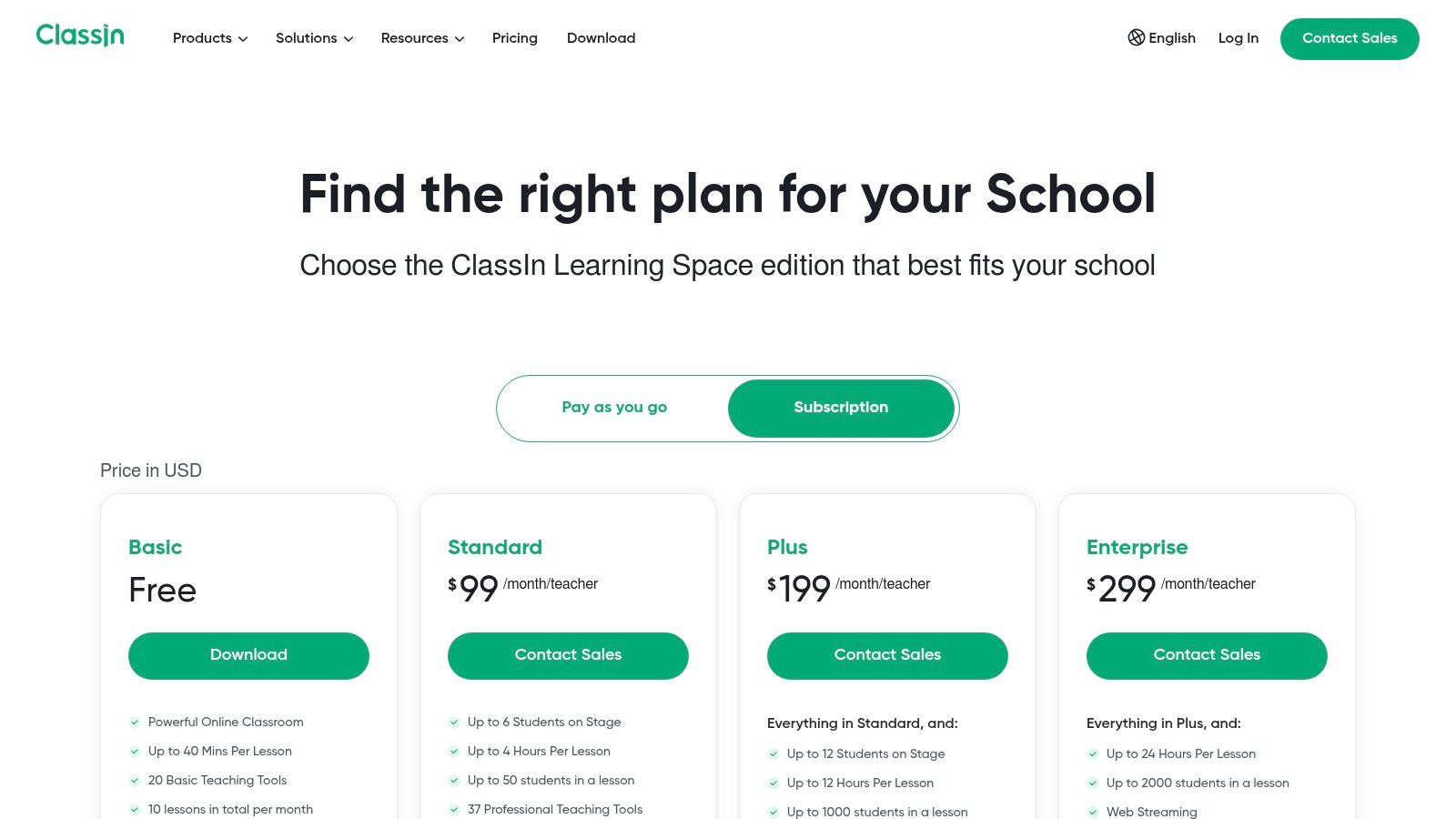
The platform’s strength lies in its all-in-one approach. It combines live video with classroom management, assignment distribution, interactive quizzes, and a resource drive. This integration is ideal for tutoring centers that want a single, powerful system for lesson delivery. However, this comprehensive nature comes with a steeper learning curve and its pricing is often sales-assisted.
For centers that need robust control and a feature-rich teaching environment, ClassIn is one of the best video conferencing tools for online tutoring that feels less like a meeting and more like an actual classroom.
Key Features & Use Cases
- Classroom-First Interactive Tools: Includes a multi-functional whiteboard, on-stage multi-camera teaching, and interactive elements like timers to keep students engaged.
- Integrated Learning Management: Tutors can create and distribute tasks, quizzes, and homework directly within the platform, streamlining the lesson lifecycle.
- School Management Dashboard: Provides administrators with a high-level view of classroom activities, teacher performance, and student engagement analytics.
- Pricing: Pricing is not publicly listed and requires a consultation. Plans are tailored to institutional needs, making it a better fit for established schools.
Website: https://www.classin.com/en/
Top 12 Video Conferencing Tools for Online Tutoring — Comparison
| Platform | Best fit | Core teaching features | Parent / teacher experience | Admin & integrations | Pricing notes |
|---|---|---|---|---|---|
| Zoom | Multi-teacher centers, families | Breakout rooms, whiteboard, recordings, webinars add-on | Ubiquitous, easy join, stable | Wide ecosystem, calendar & LMS integrations | Per-host pricing; add-ons for large meetings |
| Google Meet (Workspace) | Schools using Workspace / Chromebooks | In‑browser meetings, Drive recordings, breakout (higher tiers) | Low friction, no-install for many parents | Tight Calendar/Drive/Docs integration | Bundled with Workspace; features vary by tier |
| Microsoft Teams | Organizations on Microsoft 365 | Channels, whiteboard, recording, attendance controls | Strong for staff; steeper for some parents | Deep M365 integration, enterprise controls | Often bundled in M365 plans |
| Cisco Webex | Large centers needing compliance & reliability | Noise removal, AI assistant, breakout, whiteboards | High audio quality; UI less familiar | Enterprise security (FedRAMP), scalable webinars | Competitive annual licenses; enterprise options |
| LearnCube | Tutoring & language schools needing classroom tools | Education whiteboard, content library, class reload, analytics | Teaching‑focused workflow, faster lesson prep | School branding, analytics, LMS integrations | School/enterprise tiers; some features gated |
| VEDAMO | Small–mid schools wanting simple virtual classroom | Interactive whiteboard, recordings, breakout, archives | Clean onboarding; simple guest access for families | Optional LMS (scheduling, roles); add concurrent rooms | Concurrent-room licensing; LMS optional costs |
| Lessonspace | STEM & coding tutors | Equation/graph editor, code tabs, infinite board, resource library | Reduces app juggling; STEM-optimized tools | API access, org plans, brandable spaces | Usage/org quotes; fewer public price points |
| Whereby | 1:1s and small groups needing zero-install | Personal rooms, custom subdomains, simple join flow | Easiest join for parents; branded rooms | Embeddable video API; HIPAA addon available | Affordable Pro/Business; attendee caps apply |
| GoTo Training / Meeting | Multi-week courses & instructor-led prep | Tests, evaluations, materials, certificates, breakout | Training-centric UX; product choice can confuse | Integrates with Webinar & marketing tools | Pricing often hidden; can be higher than peers |
| ClickMeeting | Webinars, parent info sessions, paid workshops | Monetization, automation, polls, Q&A, streaming | Good for large events; not optimized for daily 1:1s | Marketing automation & event tools, large scale | Plans scale by attendee cap; promotions vary |
| BigBlueButton (OSS) | LMS-centered orgs seeking cost control | Whiteboard, polls, breakout, LMS (Moodle/Canvas) | Works well for students; less known to parents | Best via managed hosts; capacity-based pricing | Open-source core; hosting/managed costs apply |
| ClassIn | Schools needing classroom-first controls & multi-camera | Multi-camera, tasks/quizzes, cloud recording, dashboards | Powerful interactivity; steeper learning curve | School management dashboard; tailored onboarding | Sales-assisted pricing; less transparent plans |
How Do I Automate Online Tutoring Beyond the Virtual Classroom?
Selecting the best video conferencing tool is a critical first step, but it only addresses the in-session experience. The real challenge for growing tutoring centers lies in the operational chaos surrounding each virtual lesson. The path to sustainable growth is found not in a better virtual classroom, but in automating the entire workflow from booking to payroll.
Think about the manual tasks for every online session. You have to find a teacher, schedule the lesson, create a meeting link in Zoom, paste that link into a calendar invite, and send it to the student. After the lesson, you must manually track attendance, use that data to create an invoice in another system, and then calculate teacher pay. This fragmented process is inefficient, prone to error, and does not scale.
From Manual Chaos to Automated Operations
Video conferencing platforms are designed for meetings, not for running a tutoring business. They don't handle scheduling conflicts, multi-branch room management, complex billing, or varied payroll. This is where a dedicated tutoring management system becomes the central nervous system of your operations, turning your video tool into one integrated component.
Instead of manually creating calendar invites, a platform like Tutorbase automates the entire sequence. Here’s how the workflow transforms:
- Booking: When you book an online lesson, the system instantly generates the unique meeting link from your integrated video tool.
- Communication: This link is automatically added to the student and teacher calendars and included in automated email or SMS reminders.
- Attendance: After the session, the teacher marks attendance. This single click triggers all subsequent financial actions.
- Billing & Payroll: The "Attended" status automatically generates the correct invoice based on the student's pricing plan. Simultaneously, it calculates the teacher's pay for that lesson, accounting for their specific rate.
This integration moves your business from constant administrative firefighting to strategic oversight. You cut administrative time by over 60%, prevent costly double-bookings, and ensure every lesson is billed and paid for accurately. For an even deeper dive into streamlining your booking process, exploring how AI Appointment Scheduling can end the back-and-forth emails is a valuable next step.
Making the Right Choice for Your Center
Ultimately, the best video conferencing tools for online tutoring are the ones that not only provide a great learning experience but also integrate seamlessly into a powerful operational backbone. Your final decision should be guided by this dual perspective. Choose a video platform for its classroom features, but choose your management system for its ability to run your entire business. By connecting your chosen video tool to an operational hub, you can scale your online programs without scaling your administrative burden.
Frequently Asked Questions (FAQ)
What is the best video conferencing tool for 1:1 tutoring?
For 1:1 tutoring, simplicity is key. Whereby is an excellent choice due to its permanent, no-download room links, which creates a frictionless experience for students and parents. For tutors needing more features, Zoom offers a reliable and familiar platform with robust recording and whiteboard capabilities.
How much should I expect to pay for tutoring video software?
Costs vary widely. Free plans from Zoom or Google Meet are suitable for starting out but have limitations (e.g., 40-minute meetings). Paid plans typically start around $7-$16 per host per month. Specialized virtual classrooms like LearnCube or VEDAMO can cost $15-$40 per month, while comprehensive systems like ClassIn require custom quotes.
Do I need a whiteboard for online tutoring?
Yes, a digital whiteboard is essential for effective online tutoring, especially in subjects like math, science, and language learning. It allows for real-time collaboration, problem-solving, and visual explanation. While most video tools have a basic whiteboard, dedicated platforms like LearnCube and Lessonspace offer superior, subject-specific features.
Can I use a regular meeting tool like Zoom for a large tutoring center?
Yes, you can use Zoom, but it only solves the video call part of the problem. A large tutoring center also needs to manage scheduling, prevent double-bookings, automate invoicing from attendance, and run complex payroll. Integrating Zoom with a tutoring management software like Tutorbase is the best approach to handle these operational needs at scale.
What is the difference between a video conferencing tool and a virtual classroom?
A video conferencing tool (like Zoom or Google Meet) is designed for general-purpose meetings. A virtual classroom (like LearnCube or BigBlueButton) is purpose-built for education, with features like an advanced interactive whiteboard, a content library for lesson materials, and integrated quizzing tools.
Ready to stop juggling spreadsheets and manual calendar invites? See how Tutorbase connects your favorite video conferencing tool to a fully automated system for scheduling, billing, and payroll. Transform your operations by visiting Tutorbase.


