

Class registration software automates scheduling, billing, and student management for tutoring centers. It centralizes operations, reduces administrative work by up to 70%, and eliminates costly errors like double-bookings. This guide explains the key features you need to scale your business in 2026.
Relying on spreadsheets and emails for class registration is a classic rookie mistake. It seems fine at first, but it quickly becomes a bottleneck that prevents your tutoring center from growing. This old-school approach leads to human error, eats up admin time, and frustrates both staff and parents.
Ultimately, it hits your bottom line and chips away at your reputation.
Why is Manual Registration Limiting Your Growth?

Managing a growing tutoring business with manual systems is like trying to direct rush-hour traffic with a notepad. It might work for a few students, but chaos is inevitable as you expand. Each new student adds complexity to scheduling, billing, and communication, quickly overwhelming your team.
This admin burden is a huge hidden cost. Think about the hours spent checking spreadsheets, manually creating invoices, and chasing late payments. You could invest these hours in marketing or refining your curriculum. The financial drain gets clearer when you review the true cost of AR inefficiency.
What are the real costs of inefficiency?
Manual processes are magnets for frequent and costly mistakes. Double-booking a star tutor or assigning two classes to the same room damages parent satisfaction. These slip-ups erode trust and can lead to students leaving, hitting your revenue and brand reputation hard.
The fallout from manual management is real:
- Lost Revenue: You waste time on admin instead of following up on leads or marketing your programs.
- Sinking Staff Morale: Constant scheduling changes and payroll errors burn out good tutors and administrators.
- A Poor Parent Experience: Inconsistent communication and billing mistakes make your center look unprofessional.
- No Room to Scale: Your growth is physically capped by how many admin tasks one person can juggle.
Manual processes create a hard ceiling on your growth. You can only add so many students or tutors before the system breaks, forcing you to hire more admin staff instead of investing in actual teaching talent.
How do I thrive in a competitive market?
The pressure to run a tight ship is immense, especially in a developed market. For example, the private tutoring market in Hong Kong hit HK$25 billion in 2021, with about 70% of secondary students getting private tuition. In a market that competitive, operational excellence is essential for survival.
Moving away from manual registration is the first real step toward building a scalable and profitable tutoring center. By automating these core tasks, you free up your team, slash errors, and create the seamless experience your business needs to thrive.
What Is Tutoring Class Registration Software?

Class registration software is the central command center for your tutoring business. It is a single, unified platform that connects all the moving parts: scheduling, student management, billing, and even tutor payroll. It is the system that finally brings everything together.
Think of it as the air traffic control tower for your entire operation. Instead of juggling spreadsheets for schedules, a separate app for payments, and endless emails for new enquiries, this software coordinates everything. It prevents the chaos of double-booked tutors, ensuring a smooth, professional experience for everyone.
The main goal is to drastically cut your admin workload. It also stamps out those costly (and frustrating) human errors that happen when you manage everything manually. A good system automates the entire student journey from initial lead to full enrollment.
How Does the Registration Workflow Operate?
A modern system automates the entire journey from a curious parent to a fully enrolled, paying student. The software uses a logical, step-by-step process. This design ensures no potential lead ever falls through the cracks and reduces manual effort at every turn.
The registration flow follows these steps:
- Lead Capture: A new enquiry from your website or social media automatically enters the system as a lead.
- Trial Attendance: You can schedule a prospective student into a trial class with a few clicks.
- Student Conversion: Once they have a great trial, you convert the lead into an active student with one click.
- Enrollment: The system links the student to their specific class and corresponding billing plan.
This seamless flow means your team spends less time on data entry and more time building relationships. Billing triggers automatically from the enrollment record.
What Is a Student Enrollment Record?
A student enrollment record connects a student to a specific class or program and drives all automation. This record holds all the crucial details, including what class they’re in, when it starts and ends, and which payment plan they’re on. It is the engine behind the system.
This single record triggers a cascade of automated actions. For a semester-long course, it sets the start and end dates. It also automatically kicks off the correct billing cycle. This could be a monthly subscription, a prepaid package, or pay-as-you-go invoicing.
The record also tracks the student's status (active, completed, or cancelled). This gives you clear data for spotting retention trends.
What to Look for: The Must-Have Features
The best class registration software is the central nervous system of your tutoring center. It needs smart tools that eliminate booking conflicts and automate billing based on attendance. It should also handle complex payroll, manage multiple locations, and unify all your contacts.
When you shop for a platform, it’s easy to get distracted by flashy features. Not all software is created equal. A simple digital calendar cannot keep up with a growing education business. You need a system built to solve the specific headaches tutors face every day.
Think of these core features as non-negotiables. They turn administrative chaos into a smooth, predictable operation. These features prevent double-booked tutors and ensure every lesson gets billed correctly. Investing in such a platform is an investment in your center's future.
Intelligent Scheduling and Conflict Prevention
Your scheduling tool should be an intelligent assistant. The most critical function is real-time conflict prevention. This feature automatically flags and blocks you from double-booking a tutor or a classroom before it happens, eliminating a common and disruptive mistake.
For example, a "Find Slot" function should instantly scan all tutor availability, room schedules, and subject specializations. It then presents only viable options. A ten-minute headache becomes a ten-second task. This one feature alone can cut your scheduling admin by up to 60%.
Attendance-Triggered Billing Automation
This is where true automation saves you the most time and money. Manually creating invoices is slow, riddled with errors, and creates frustrating cash flow gaps. Your software must automate this entire workflow by directly linking attendance to your billing system.
When a tutor marks a student as "attended," the system should instantly generate the correct invoice. This attendance-triggered billing guarantees accuracy and dramatically speeds up how quickly you get paid. Every lesson taught is a lesson billed, eliminating forgotten charges for good.
Make sure the platform can handle different ways you charge, such as:
- Pay-per-lesson: An invoice is created the moment a lesson ends.
- Prepaid packages: The system automatically deducts one credit from the student’s balance.
- Monthly subscriptions: Attendance data is logged for recurring billing cycles.
Our guide on tuition fee collection software has more practical tips.
Flexible Payroll and Compensation Management
Tutor pay is rarely a simple flat hourly rate. A rigid payroll system will force you back to spreadsheets, creating hours of manual work and risking expensive mistakes. Your software needs a flexible payroll module that automates calculations for all compensation rules.
The system should handle hourly rates, fixed per-lesson fees, and revenue-sharing percentages. It should also manage extras like premiums for evening classes or overtime. This ensures every tutor’s payslip is accurate without you lifting a finger.
A robust payroll feature is a cornerstone of tutor retention. When tutors trust they will be paid accurately and on time, it builds loyalty and reduces administrative friction, allowing them to focus on teaching.
Multi-Location and Room Management
Good class registration software for tutoring must give you a single, centralized view of all your physical locations and classrooms. This prevents logistical nightmares like overbooking a room or scrambling to find a space for a last-minute session.
This feature is vital in Hong Kong’s hybrid learning market. Approximately 65% of services are now provided online, according to tutoring industry statistics. Your software must manage both physical room bookings and virtual classroom links seamlessly in one place.
Comparison Table: Legacy Systems vs Modern Tutoring Software
Switching from old-school methods to a modern platform is a fundamental change in how your center operates. This table breaks down the difference between relying on spreadsheets versus adopting an integrated, intelligent solution.
| Feature | Legacy System (e.g., Spreadsheets) | Modern Software Solution |
|---|---|---|
| Scheduling | Manual, prone to double-bookings and time-consuming searches. | Automated conflict prevention with an instant "Find Slot" feature. |
| Billing | Manual invoicing with a high risk of errors and delays. | Attendance-triggered billing generates invoices automatically. |
| Payroll | Manual calculations, difficult for varied pay rates. | Automated calculations for hourly, per-lesson, and revenue-share models. |
| Parent Communication | Scattered across emails and texts with no central record. | Unified parent portal for booking, payments, and progress notes. |
| Reporting | Manual data entry that is time-consuming and inaccurate. | Real-time dashboards showing revenue, attendance, and performance. |
| Multi-Location Management | Separate spreadsheets with no unified view of resources. | Centralized dashboard to manage rooms and schedules across all branches. |
The shift is from reactive, manual work to proactive, automated management. This frees up your team to focus on teaching and growing the business.
Unified CRM for Students, Parents, and Staff
A unified Customer Relationship Management (CRM) system is the heart of your operation. A single system should hold a complete profile for every student, parent, and teacher. This provides an instant, 360-degree view of your business at any time.
A student’s profile should contain their lesson history, attendance records, payment status, and progress notes. A parent’s profile should link to all their children, showing a complete billing history. This centralization makes communication far more efficient and professional.
How to Implement Your New Software: A Step-by-Step Guide
Adopting new software can feel like a huge undertaking. With a clear plan, the process becomes a series of manageable steps. A good implementation roadmap ensures a smooth transition with minimal disruption for your staff, students, and parents.
Proper planning is key to unlocking your new system's full potential from day one. This is not just a tech upgrade; it is about getting your people and processes in sync. You should see a return on your investment almost immediately.
A modern platform should make your three main workflows (schedule, bill, and manage) feel effortless and interconnected.
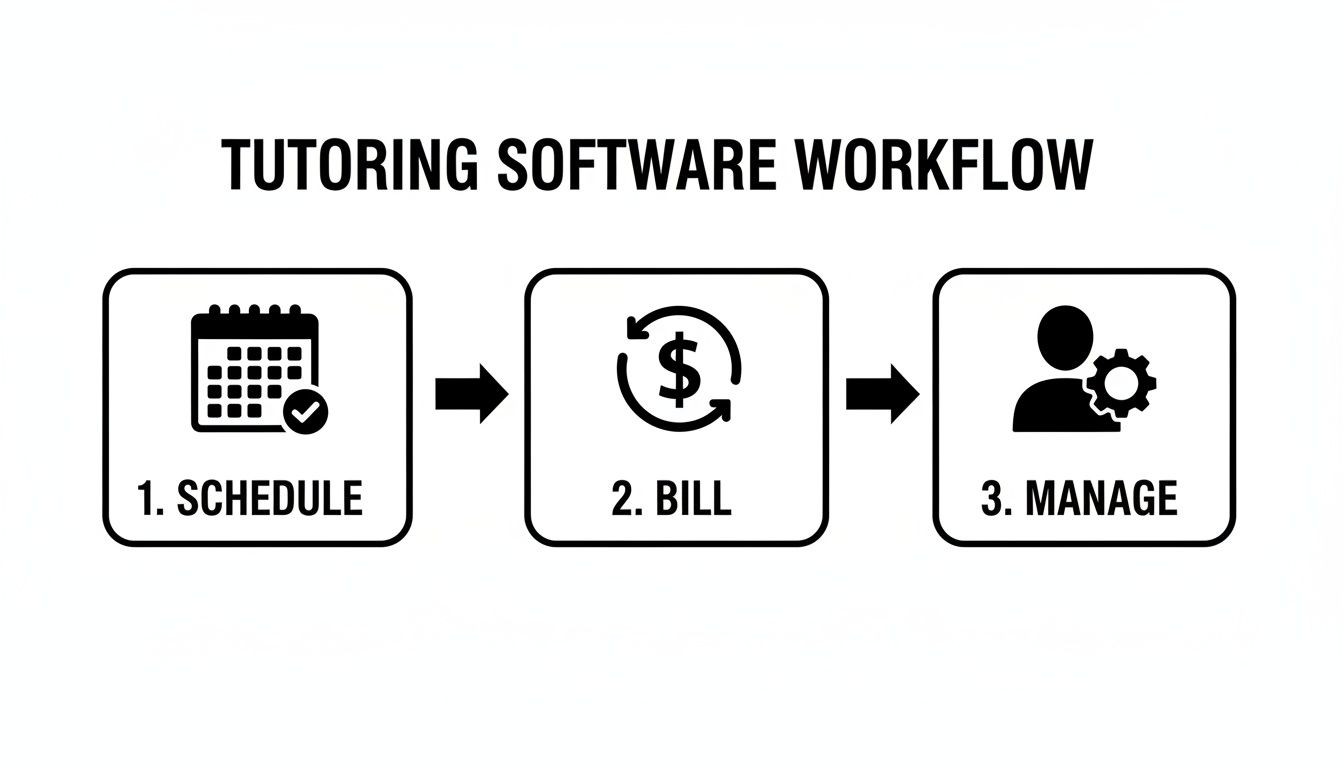
This flow shows how scheduling a class should automatically trigger the right billing action and update student records. This creates a seamless operational cycle. Let's break down how to get there.
Phase 1: Initial Setup and Data Migration
Start with a thorough audit of your current operations. Map out every process, from handling new enquiries to calculating tutor payroll. This deep dive will become the blueprint for configuring your new class registration software for tutoring to fit your center perfectly.
Next is data migration. Get organized beforehand by cleaning up your existing student, parent, and staff data in spreadsheets. Most modern software providers have import tools or offer direct support to make this painless, saving you dozens of hours of manual entry.
- Student Data: Get a clean list with names, contact details, current class enrolments, and credit balances.
- Staff Data: Compile a list of all tutors, their contact information, subjects taught, and specific pay rates.
- Class Schedules: Make sure you have all current and upcoming classes detailed, including times and tutors.
Phase 2: Configuration and Team Training
With your data loaded, you can now mold the software to your unique business rules. Set up your specific billing cycles, define payroll structures, and customize automated communication templates. For example, create rules for late cancellation fees or automatic payment reminders.
Now for the most important part: training. Explain why you are making the change and how it will make their jobs easier. This is more effective than just showing your team a new dashboard and walking away.
Conduct role-specific training sessions. Your administrative staff needs to become experts in scheduling and billing. Your tutors just need to know how to mark attendance and access lesson plans. This targeted approach boosts confidence and reduces confusion.
A hands-on approach is always best. Ask your provider for a test environment where your team can practice with dummy data. This builds confidence before the big go-live day. For a more detailed guide, check out our comprehensive tutoring software implementation plan.
Phase 3: Go-Live and Ongoing Optimisation
The final phase is the launch. It's smart to start with a "soft launch," perhaps with a single class or a small group of trusted clients. This gives you a chance to iron out any final kinks in a controlled setting before a full rollout.
Going live is not the finish line. Implementation is an ongoing process. Schedule regular check-ins with your team to gather feedback. Use this feedback to continuously refine your processes and squeeze more value from your software over time.
How to Measure Your Software's ROI
Choosing a new class registration software for tutoring is a serious investment. To justify the cost, you must connect its features to your bottom line. Tracking your return on investment (ROI) proves that automation fuels your profitability and sets you up for sustainable growth.
This data is your proof. It shows exactly how much money the software saves or generates compared to its cost. This gives you a powerful story to tell stakeholders about its impact on your tutoring center's financial health.
How do I identify Key Performance Indicators (KPIs)?
Before you can see the improvement, you need a clear "before" picture. The first step is to lock down your key performance indicators (KPIs) before you flip the switch on the new system. These are the numbers that automation will directly touch.
- Administrative Hours: How many hours a week does your team spend on scheduling, invoicing, and payroll?
- Payment Collection Speed: What’s the average time between sending an invoice and receiving payment?
- Student Retention Rate: What percentage of your students re-enroll each term?
- Error Rate: Count every single scheduling conflict, double-booking, or billing mistake each month.
How do I calculate my return on investment?
Once you have a few months of data from the new system, calculating a basic ROI is straightforward. The formula is: (Net Profit from Software - Cost of Software) / Cost of Software. A positive number means you made a profitable investment.
For a deeper dive, check out this guide on measuring the ROI of adopting new technology.
The easiest win is to translate saved time into cash. If your software saves your administrator 20 hours per month at HK$150 an hour, that's an immediate HK$3,000 monthly saving. Often, that simple math alone covers the subscription cost.
ROI isn't just about cutting costs. Getting paid faster massively improves your cash flow. Higher student retention directly boosts lifetime customer value. These gains are pure profit.
Tracking Metrics Before and After Implementation
To make the impact crystal clear, organize your findings in a simple table. This gives you an at-a-glance view that turns abstract benefits like "efficiency" into concrete numbers that demonstrate real value.
Key Metrics to Track Before and After Implementation
This table shows the core KPIs you should monitor to measure the direct financial impact of your new class registration software.
| Metric | How to Measure (Before Software) | Expected Improvement (After Software) |
|---|---|---|
| Admin Hours/Week | Manually log time spent on scheduling and billing. | 50-70% reduction in time spent on routine tasks. |
| Avg. Days to Pay | Check invoice issue dates against payment dates. | 30-50% faster payment collection with online portals. |
| Student Churn Rate | Track non-renewals each semester. | 10-20% improvement due to better parent experience. |
| Booking Errors/Month | Count every double-booking or room conflict. | Elimination of scheduling conflicts. |
By tracking these KPIs, you build an undeniable business case for your investment. For more detail, explore our in-depth guide on the ROI of tutoring management software. The data will show how automating operations drives scalable growth.
Future-Proofing Your Tutoring Centre with Technology
Choosing the right class registration software is a strategic move that sets your tutoring center up for long-term growth. It keeps you competitive in a market that changes faster than ever. The right tech platform allows your business to adapt on the fly.
You can launch hybrid learning models, manage online and in-person classes, or expand to new branches without your admin workload spiraling. This kind of agility separates the centers that thrive from those that just survive.
How does technology power sustainable growth?
When you automate the daily grind, you can shift your focus from low-value admin tasks to high-impact growth activities. Imagine what you could do with an extra 10-15 hours a week. Instead of chasing payments, you could refine your curriculum or plan a marketing campaign.
This is about investing that time where it truly counts:
- Curriculum Development: Build unique learning programs that make families choose you over the competition.
- Instructor Quality: Focus on professional development for your teaching staff to improve results and retention.
- Strategic Expansion: Use real performance data to decide when and where to open a new location.
Future-proofing isn’t about buying fancy new tools. It’s about building a business where technology handles the repetitive work, freeing up your talented team to innovate and teach.
How do I adapt to a changing market?
The education sector is in a massive shift, driven by new tech and evolving student expectations. The after-school tutoring market in the greater China region is expected to grow by USD 130.8 billion between 2025 and 2029.
This boom is largely fueled by technological advancements. You can read more about this market evolution on PR Newswire. With rapid growth comes intense competition. Centers still using spreadsheets will find it nearly impossible to keep up.
A scalable software solution is no longer a nice-to-have; it is the foundation you need. By choosing a platform that grows with you, you ensure your center doesn’t just survive, it leads. That forward-thinking approach will secure your center's future.
Frequently Asked Questions (FAQ)
What is the primary function of class registration software for tutoring?
Class registration software for tutoring automates the entire student enrollment process. This includes capturing leads, scheduling trial classes, converting students, and linking them to specific classes and billing plans. Its main goal is to reduce manual administrative work and prevent scheduling errors.
How does this software prevent double-booking tutors?
The software uses an intelligent scheduling system with real-time conflict prevention. When you try to schedule a tutor or a classroom that is already booked, the system will automatically flag the conflict and block the appointment. This eliminates one of the most common and disruptive administrative mistakes.
Can the software handle different billing models like packages and subscriptions?
Yes, a robust system handles various billing models. It can automatically generate invoices for pay-per-lesson sessions, deduct credits from prepaid packages after a class is attended, and manage recurring payments for monthly or semester-based subscriptions. Billing is typically triggered by attendance records for maximum accuracy.
What is involved in migrating my existing student data to a new system?
Most software providers offer data migration support. You will typically export your current student, parent, and staff information into a spreadsheet (CSV file). The provider will then use an import tool to map this data and load it into the new system, saving you from hours of manual data entry.
How does class registration software improve the parent experience?
It provides parents with a dedicated online portal where they can view schedules, book new classes, make payments, and track their child's progress. Automated reminders for classes and payments also improve communication, creating a more professional and organized experience that boosts parent satisfaction and retention.
Can I manage multiple tutoring center locations with one software account?
Yes, multi-location management is a key feature of good class registration software. It provides a centralized dashboard where you can view and manage schedules, tutor availability, and room bookings across all your branches. This unified view prevents logistical errors and provides consolidated performance reporting.
How is this software better than using a combination of spreadsheets and calendars?
While spreadsheets are free, software provides automation and intelligence that spreadsheets lack. It prevents errors in real-time, automates the entire workflow from scheduling to billing, and provides accurate financial and operational reports with a single click. A 2024 study showed automation can reduce administrative tasks by up to 70%.
What kind of reporting can I expect from this software?
You can expect real-time dashboards and detailed reports on key business metrics. This includes revenue summaries, attendance rates, tutor performance, student enrollment trends, and accounts receivable. These insights help you make data-driven decisions to grow your tutoring center more effectively.
Ready to build a more efficient and scalable tutoring business? See how Tutorbase can automate your operations at tutorbase.com/register.


